 A spreadsheet for the pipeline
One place to run every file, every deadline, every agent relationship, and every client update, so you can grow without your business becoming harder to manage.
“It took my business from being able to handle 10 files a month to comfortably handling 50 with ease.”
“It’s the backbone of my business. I have told my boss I will not work without AFrame.”
“So much more intuitive for me. So many less clicks to accomplish any task.”
A deadline moves and the tasks underneath it do not. An agent’s question is buried in an email thread. A client needs a document today. Inspection is tomorrow. Someone still has not sent the thing you asked for twice. A new contract arrives while you are already behind.
Then someone asks “where are we on 123 Main?” and you rebuild the answer out of memory, inboxes, spreadsheets, calendars and files.
Death by context switching, and underneath it the fear that one of those small things is actually a very big thing.
Almost nobody arrives with nothing. They arrive with a pile that each made sense on the day it was added.
A spreadsheet for the pipeline Gmail or Outlook for everything anyone said
 Google Calendar for dates
 Drive or Dropbox for documents
 SkySlope or Dotloop because the brokerage requires it
 Another TC tool or CRM on top of that
 Sticky notes and a second monitor
 Your own memory, holding it all together
It holds until it does not. You hire a second coordinator. You land a high-volume agent. Someone takes a week off and nobody else fully understands the system. Something gets missed. That is the moment software stops being an efficiency purchase and becomes infrastructure.
Most transaction management tools are transaction-centric. The file opens, the file closes, and the relationship behind it lives somewhere else.
AFrame is a T/CRM. Transaction management and a real CRM in one system, so the work stays connected to the agent and client relationship that outlasts the deal.
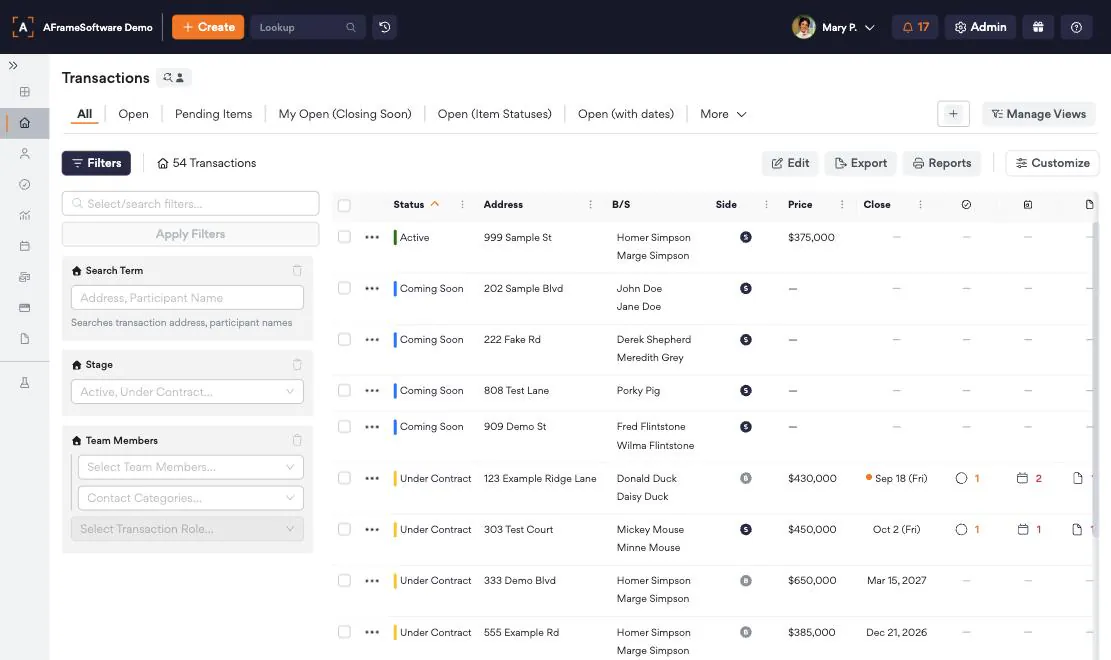
See what is due across all active transactions from one place, instead of opening each file to find out where it stands. Filter by stage, side, team member or closing date, and save the views you check every morning.
Tasks, dates, document placeholders and personalized emails are generated when you apply a template to a new transaction, rather than assembled by hand each time. The reaction we hear in demos: wait, I do not have to rebuild this every time?
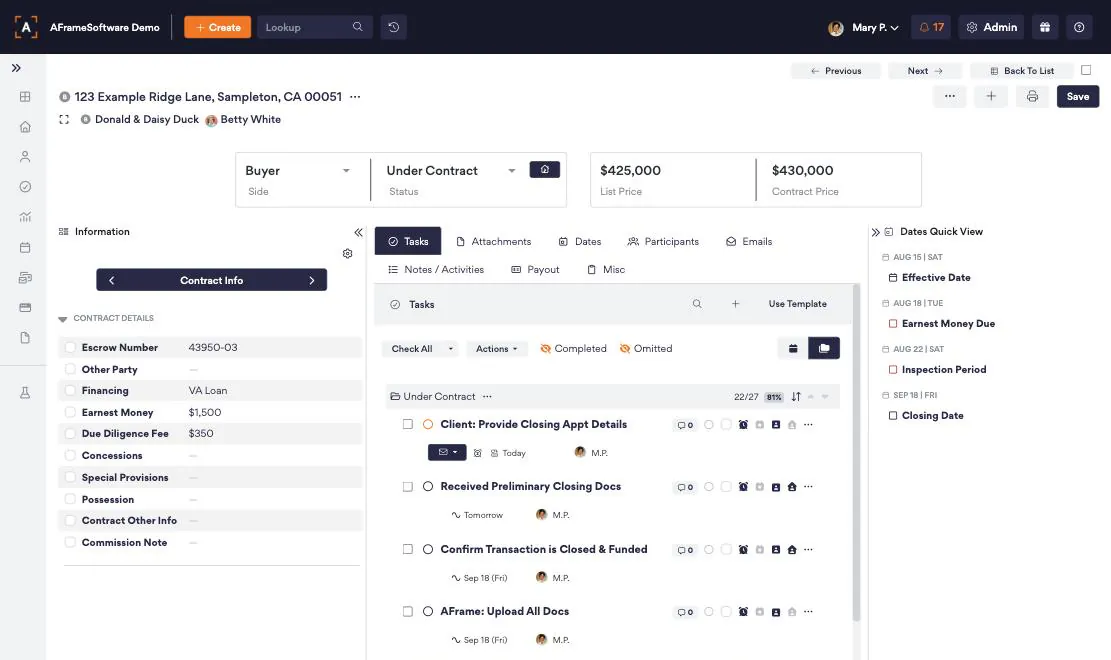
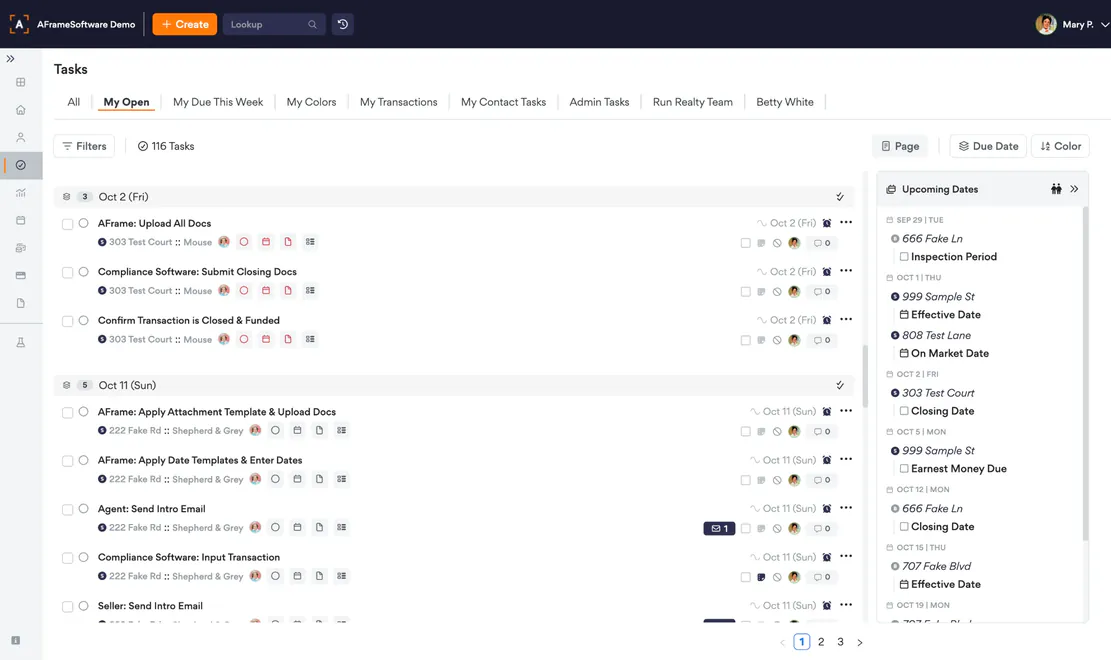
Today, tomorrow and the rest of the week across every file you manage, each line carrying its property and client. Dates drive the tasks underneath them, so when something moves the work moves with it.
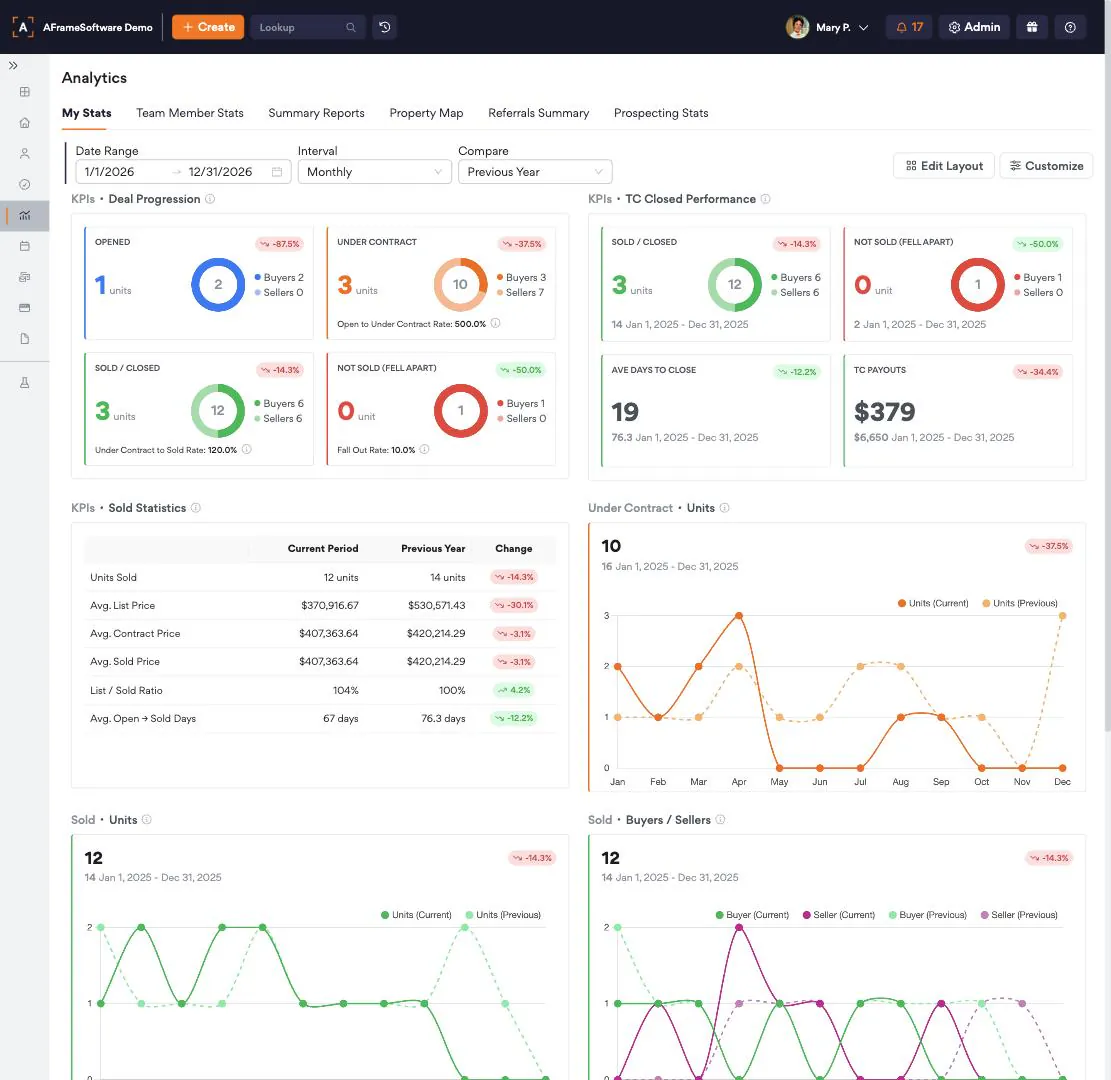
Units, volume, list-to-sold ratio and average days to close, this period against last year.
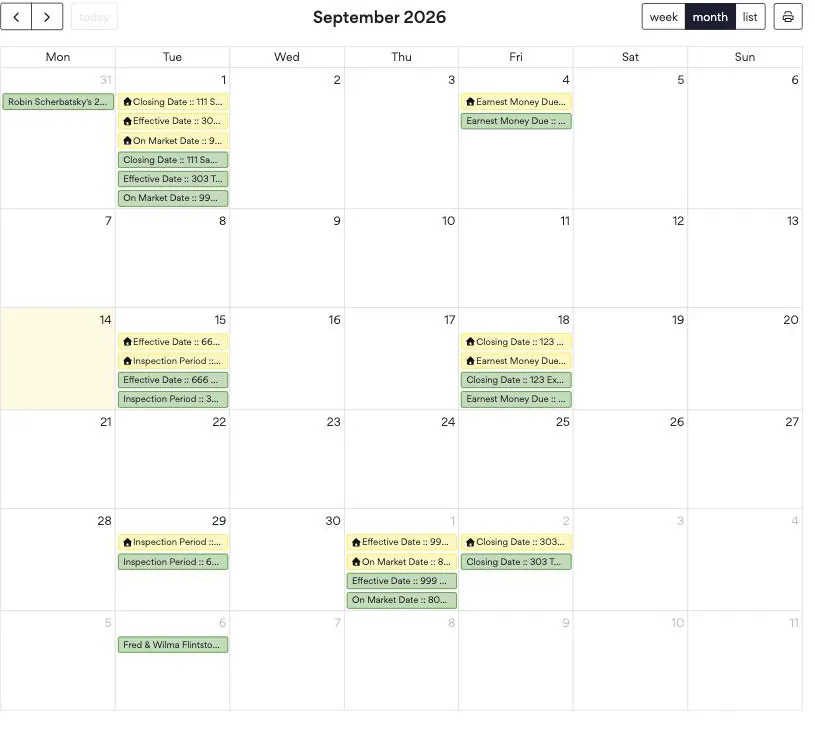
Closing dates, effective dates and inspection periods publish into the calendar you already keep open.
If you run a handful of files a month and what you want is a simple checklist, a simpler tool will make you happier, and cost you less.
AFrame also does not try to be the best e-signature product, the best forms library, or your brokerage’s accounting system. It connects to the ones you already use.
Unlimited contacts, transactions and storage on every tier.
Add as many agent clients as you need at no cost. Each one gets the branded portal, email and text reminders, and daily or weekly transaction summaries.
No. Those are strong at forms, e-signature and brokerage compliance, and most people keep them. AFrame runs the operational side, the transactions, dates, tasks, communication and client relationships, and connects to what you already use.
No. Every plan includes unlimited contacts, transactions and storage. You pay per user seat.
No. Managed agents are free and unlimited, and each gets a branded portal plus email and text reminders.
No. Month-to-month with no long-term contracts and no setup fees.
A few minutes. Signup runs in three steps — Info, Billing, Done. On the first step you enter your name and email, a little about your business, whether you are a TC, an agent or both, and the username and password you will sign in with.
Thirty days, full access, no setup fees. Put one file through it and see what the rest of the month could look like.
Start my free 30 daysFull access for 30 days. No setup fees, month-to-month.